

How to create a BitVault with 1 iPhone only
Dear Beta Testers,
It’s now possible to create a Vault with 1 iPhone only .
(if you are not a beta-tester yet click here)
By using 1 iPhone only, the keys can be:
⁃ 1 mobile key + 1 HW
⁃ 2 HWs
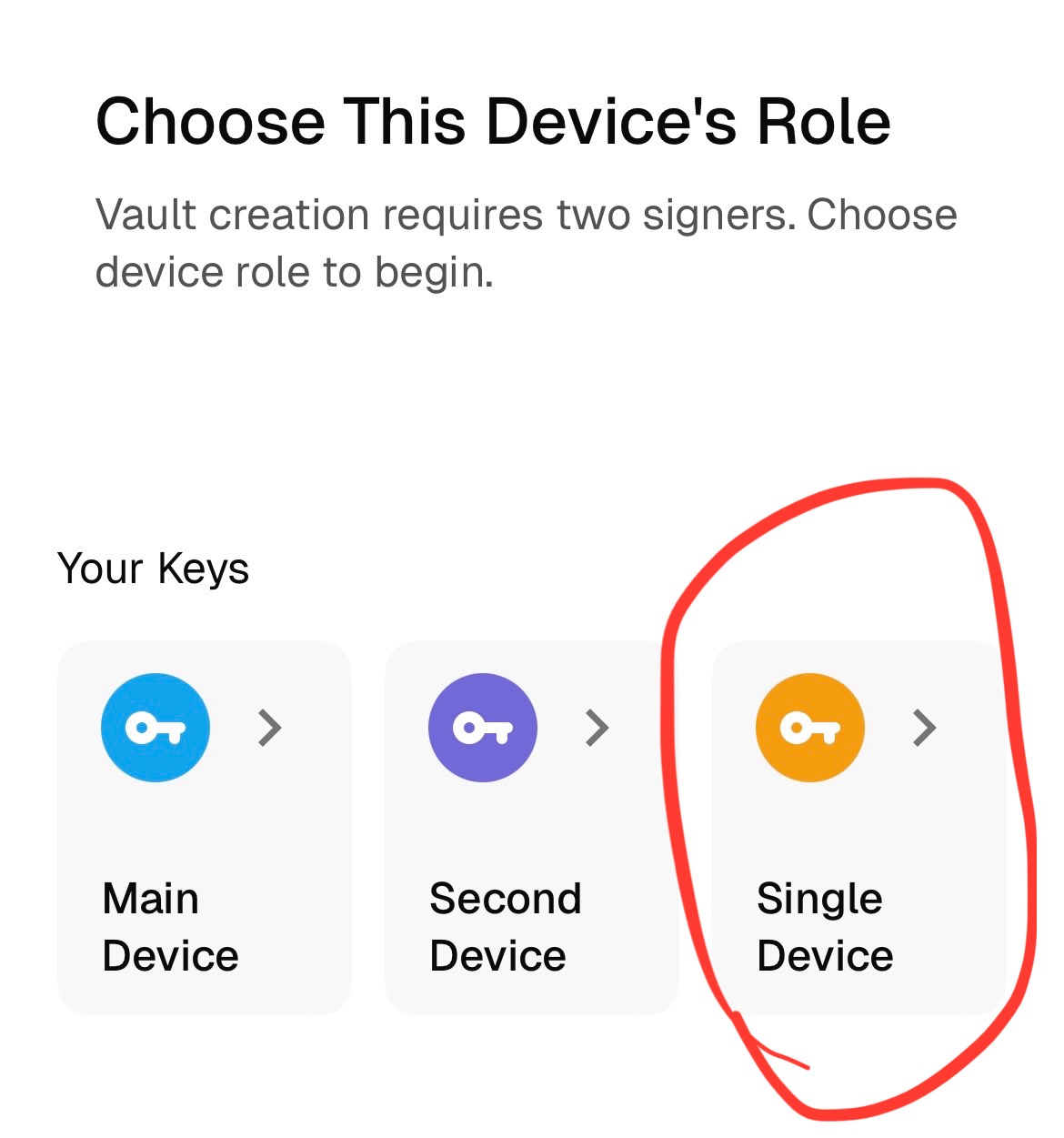
To do that , it’s enough to reach the “Choose this Device Role” section , and to tap on “Single Device” , and follow the procedure.
If you set the time-delay to 2 hours it’ll be easier to test the “send” feature .
To create 1 key with 1 HW ( or 2 keys with 2 different HWs) you create your seed on your HW as per the factory instructions , and then follow this procedure:
Jade/JadePlus
1. Start your JadePlus (Jade) session, then select Options → Wallet → Export Xpub (video guide)
2. JadePlus(or Jade, it depends on which HW the instruction was opened for) will display an animated QR code that contains the xPub for the derivation path shown. By default, the generation path is for Singlesig Native Segwit accounts, however you need to change this in the “Options” section:
– Script type: Native Segwit
– Wallet: Multisig
– Account index: 0 for first xpub, 1 for second xpub, etc.
3. Scan QR codes in the BitVault mobile app
KeyStone Btc-Only
1. Start your Keystone session, then сlick on the wallet icon (video guide)
2. Choose “Show/Export xPub”
3. Keystone displays several types of wallets for export – Singlesig, Singlesig for Testnet, Multisig. Choose Multisig
4. Click on the script format (above the QR code, it may say Legacy, Nested SegWit, Native SegWit) and select Native SegWit.
5. Scan QR code in the BitVault mobile app
After you have created a vault you can immediately receive. However, to be able to send out you need to tap on the “Upgrade to BitVault Pro” button, then select the “trial” tier for $1 ( the $1 will be discounted in the checkout so it’ll show $0 in the end). This action will enable the “Send” button.
Don’t forget to check that the Secret Notifications are enabled. To do that hit “Settings” at the bottom right , then Secret Notifications.
Please report any UI/UX issue to: info@bitvault.sv , and any Security Issue you think you have found to: security@bitvault.sv
If you have issues with the setup or while using it, please write in the telegram group under “Feedback/Feature Request” : https://t.me/bitvaultpublic
The ease of use and the added value of protective time-delay is honestly exciting. If you are having a good experience with the product, consider talking about us on social media, that will help us to grow therefore enabling the community to finally end any kind of physical attack or hack. Your personal experience is the most valuable resource for the community in consumer products, if you really think BitVault adds value, please be vocal about it and let’s make Bitcoin self-custody bulletproof, for everyone . Thanks in advance.
Francesco Madonna
Founder,CEO @ bitvault.sv